Father-Daughter Co-creation · Smart Handwriting

Name Copybook Generator

Let Every Child Write Their Own Name Well

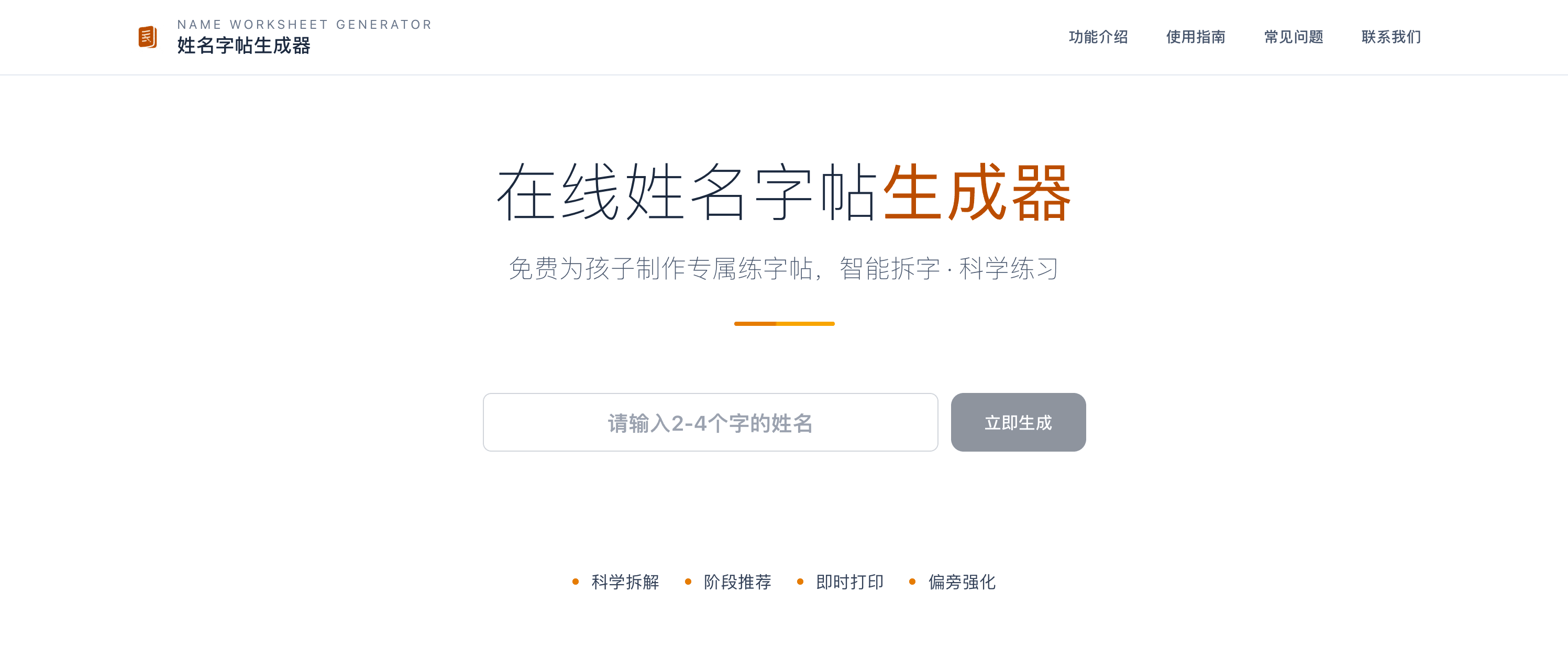
Generate personalized A4 copybooks in 1 second Unique dot tracing, smart practice recommendations based on writing stage

Name Copybook Generator Icon

A Handwriting Tool Co-created by Father and Daughter

Every day I accompanied my daughter to practice writing her name, as her teacher required daily check-ins. While browsing other children's check-in works, I was surprised to find that some children were using copybooks with their own names!

Later, I searched and found that such products existed on the market, but they were expensive and bloated. So I used Next.js, which I had just learned, and spent 2.5 days developing the first version.

When I waited for the copybook with my daughter's name to eject from the printer, I was incredibly excited.

But soon, I found something wrong: Simple tracing or stroke order tracing didn't seem to improve handwriting effectively.

Later, I co-developed with my daughter. I constantly asked for her opinions, iterated version after version, and finally arrived at the current version. It has higher customization, crucially customizes practice strategies based on the child's current writing stage, and features newly developed dot tracing practice. Later, I found that my daughter practiced much more easily, and her font structure became better and better.
Why is a Name Copybook So Important?

A child's name is the first Chinese character they write

Three Pain Points of Traditional Copybooks

No Child's Name

Copybooks on the market are all generic Chinese characters. Children can't find their own names, lacking motivation and a sense of achievement.

Tracing is Too Detailed

Traditional tracing requires precise imitation of stroke tips and thickness, which is too precise for beginners and easy to cause frustration.

Cannot Adjust to Stage

Every child's writing level is different, but copybooks are fixed and cannot be targeted for practice.

Our Innovative Solution

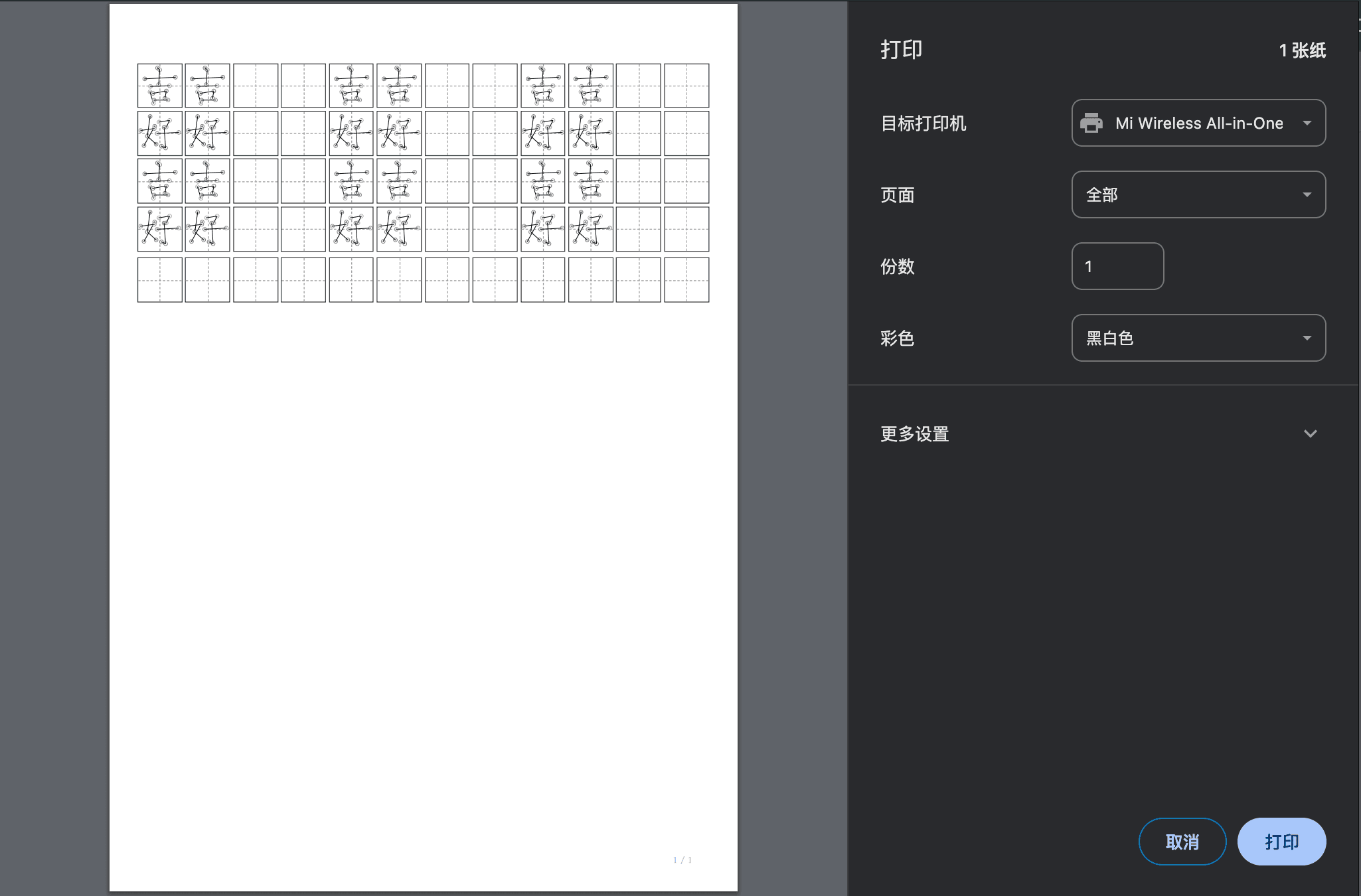
Unique "Dot Tracing" Mode

Unlike traditional tracing, we simplified elements like stroke tips, retaining only:

  • 📍The start point and end point of the stroke
  • 📏Connected by thin lines, helping children grasp the character structure initially
Unique Dot Tracing Mode - Marking key points for precise structure control

This way, children won't be frustrated by pursuing stroke tips, but focus on mastering character structure and stroke positioning.

Intelligent Staged Practice Recommendation

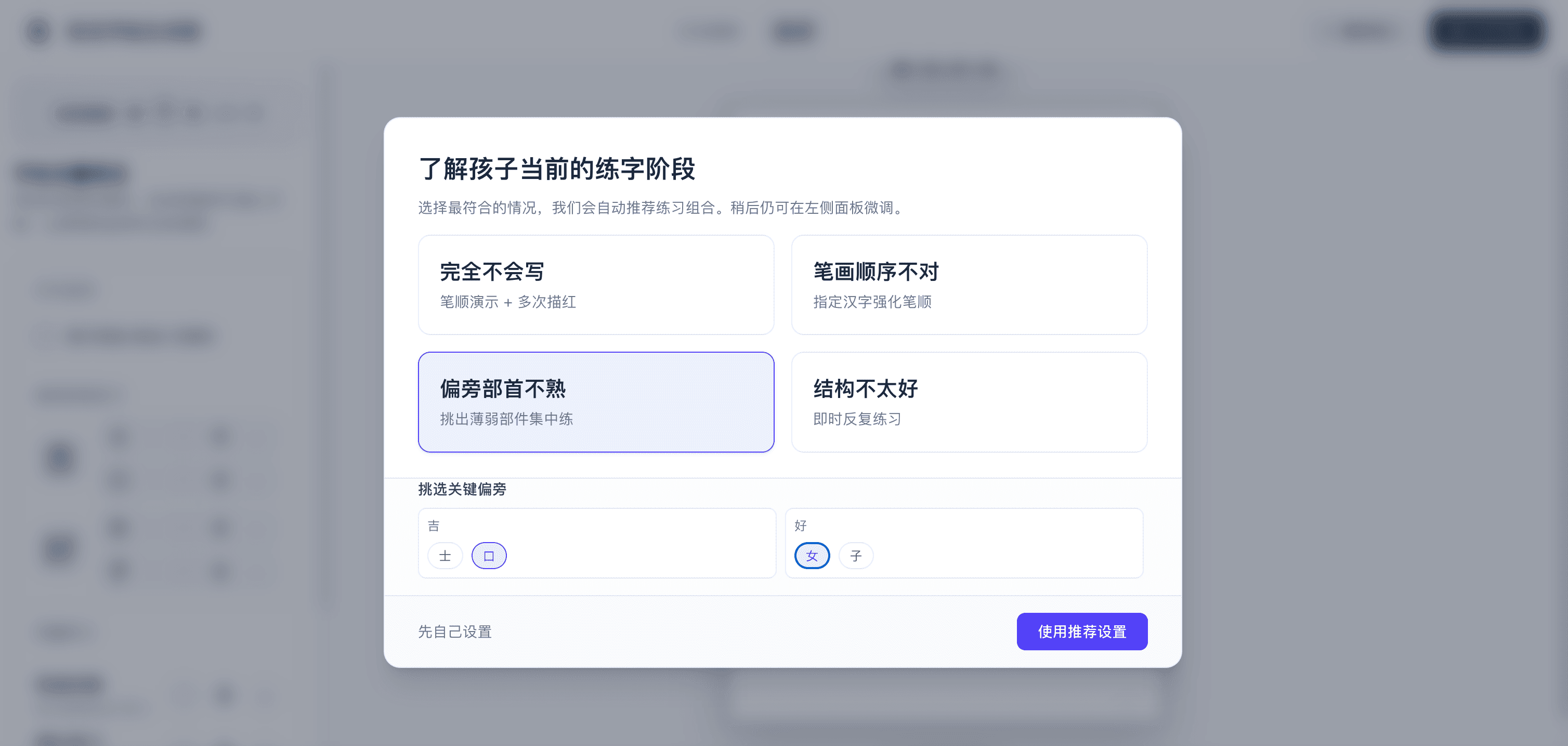
Based on the child's learning stage, the system intelligently recommends different practice combinations

Beginner Stage

Mainly complete characters + tracing, establishing an overall impression

Stroke Order Reinforcement

Adds stroke decomposition practice, mastering correct stroke order

Component Focus

Focuses on practicing specific radicals, conquering difficulties

Overall Improvement

Balances all types of practice, comprehensively consolidating and improving

Four Practice Modes Freely Combined

1

Whole Character

Whole Chinese character tracing, establishing an overall impression

2

Stroke Decomposition

Stroke-by-stroke decomposition display, mastering correct stroke order

Dot TracingUnique

Marking key points, precise control of character structure

4

Blank Practice

Pure grid practice, independent writing consolidation

App Interface

Clean and intuitive interface

Name Input Interface - Supports 2-4 characters
Stage Selection Interface - Smart recommendations
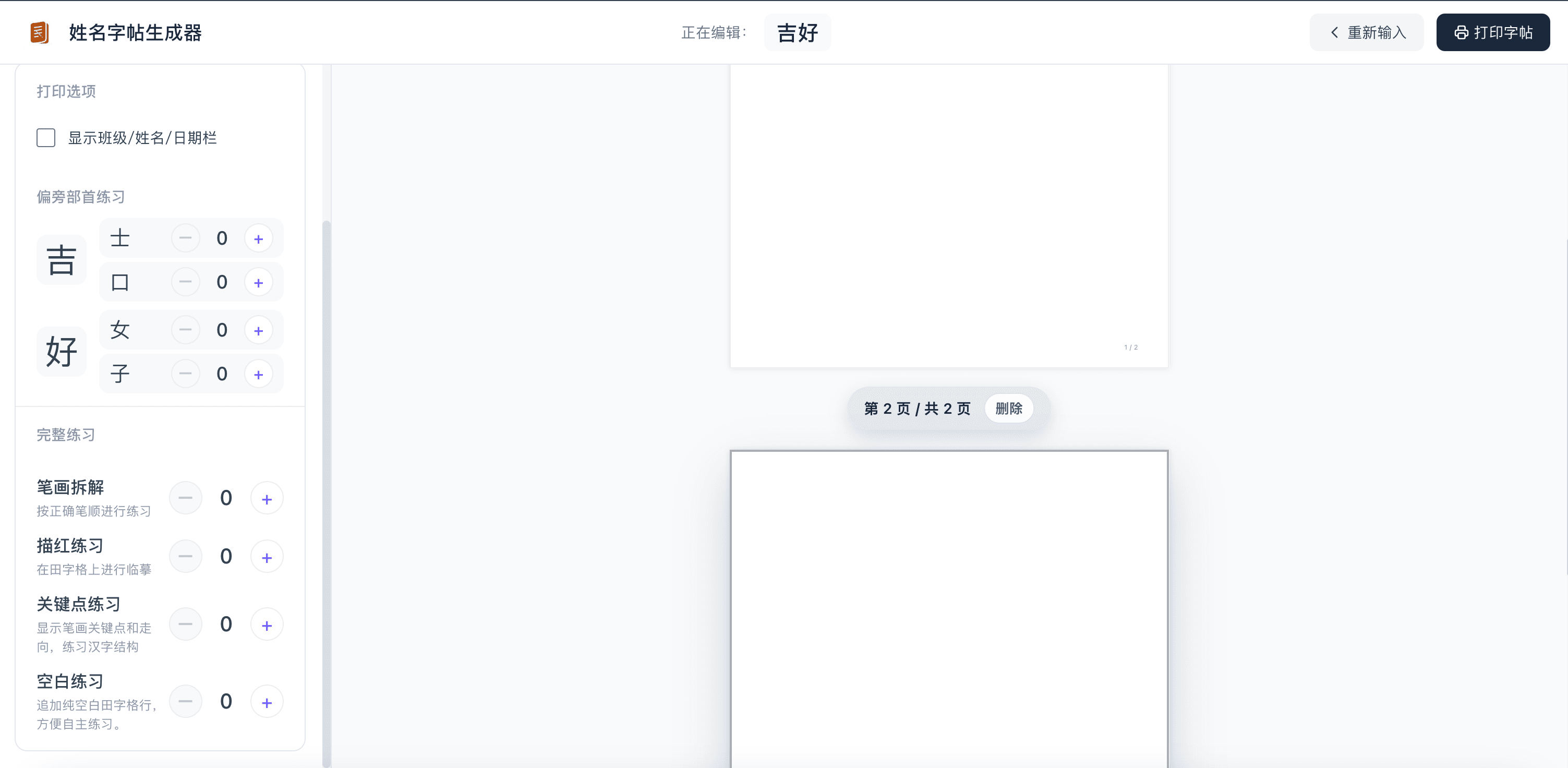
Multi-page Management - Flexible organization
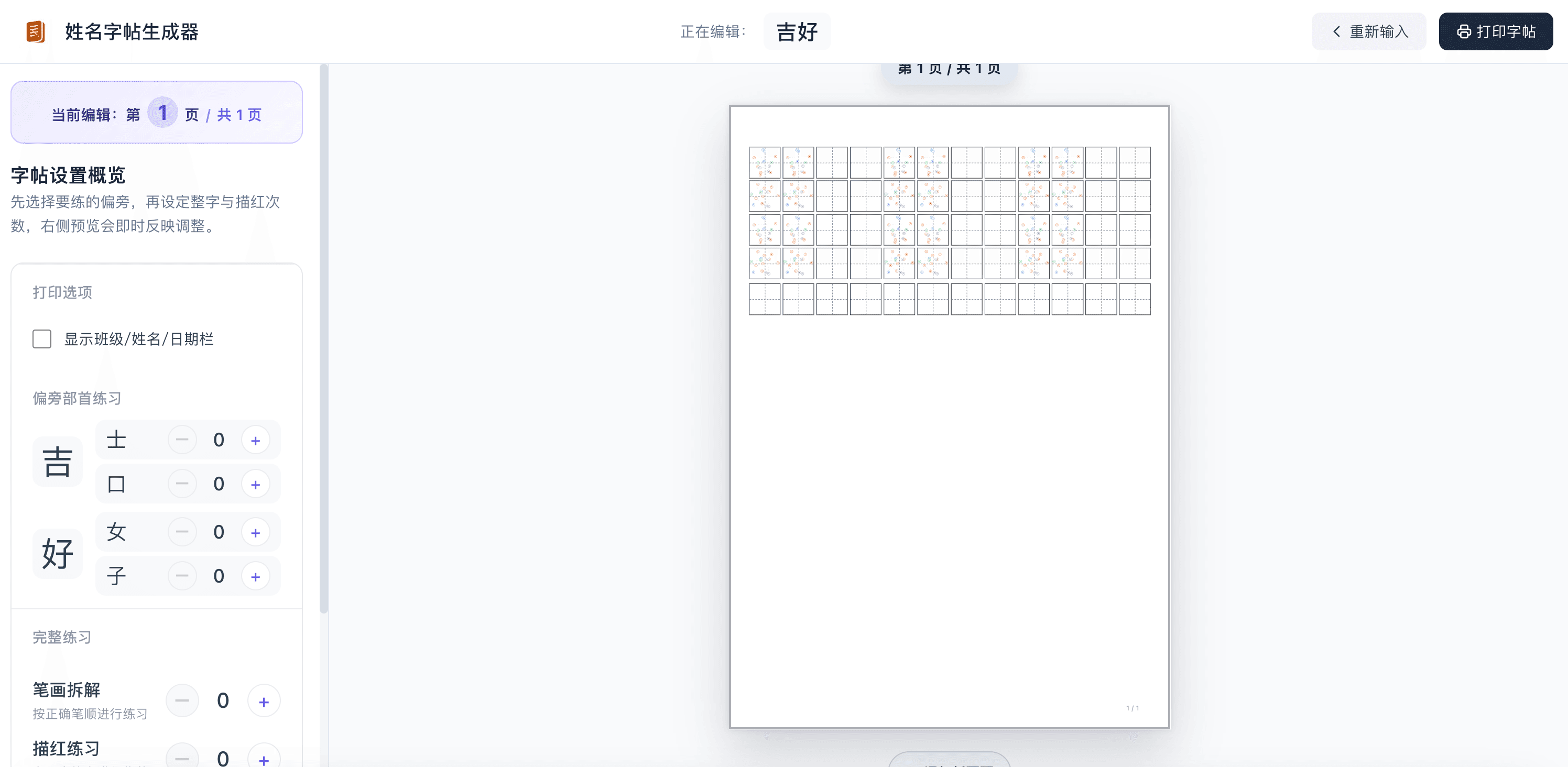
A4 Preview Interface - Real-time print preview
Scroll left/right to see more

Who is it for?

Parents Daily Practice

Teachers Batch Generation

Calligraphy Enlightenment

Overseas Chinese Teaching

Real User Feedback

Just tried it, simple and clear, easy to operate, awesome. A small suggestion, if the space between lines could be increased, I personally think it would be better. It's a bit crowded now, and visually easy to fatigue.

—— From RedNote User

(We have optimized the line spacing in the new version)

2.5 Days
Dev Time
9000+
Hanzi DB
100% Free
Completely Free

FAQ

Is data uploaded to the server?

No. All processing is done locally in the browser. Refreshing the page clears the data, fully protecting privacy.

Which browsers are supported?

We recommend using the latest versions of Chrome, Edge, Safari, or Firefox. Mobile browsers are also perfectly supported.

Can I generate copybooks for multiple students?

Yes. Entering a new name each time generates a new copybook. You can also create multiple pages and print multiple copies at once.

Can I use it on mobile?

Yes. The page is perfectly adapted for mobile, but using it on a tablet or computer is recommended for the best experience.

Does it support saving as PDF?

Currently supports saving as PDF via the browser's print function. We are developing a direct PDF export feature.

Will it charge in the future?

Currently completely free. Future advanced features may be introduced as paid options, but basic features will always be free.

Can generated copybooks be printed?

Yes. Generated copybooks are in standard A4 format and can be printed directly. Recommended to use standard A4 paper.

What age is it suitable for?

Suitable for children aged 3-12. From toddler enlightenment to primary school handwriting practice. The tool offers different difficulty modes.

Is Name Copybook Generator free?

Yes, it is completely free to use. No registration or payment required.

Start Generating Name Copybooks

Generate in 1 second, make kids love writing

Free
No Reg Required
1 sec
Fast Generation
A4
Print Ready

✅ Desktop/Tablet/Mobile Support

✅ 100% Local Privacy Protection

✅ Continuous Updates