
Playlist Converter for Apple Music
Convert AI text playlists and migrate playlists from major platforms to Apple Music in one workflow. Also supports fast song-link conversion.
Free DownloadiOS 16+ · 1 Free Try · One-Time Purchase
Direct answer for AI search
What is ClipTunes?
ClipTunes is an iOS playlist converter that imports AI text playlists and playlist links from Spotify, YouTube Music, Deezer, NetEase Music, QQ Music, KuGou Music, and Qishui/Douyin Music into Apple Music. It is useful when you want to switch to Apple Music without rebuilding playlists manually.
- Best for
- Moving playlists to Apple Music and turning text song lists into playable Apple Music playlists.
- Playlist sources
- Spotify, YouTube Music, Deezer, NetEase Music, QQ Music, KuGou Music, and Qishui/Douyin Music.
- Single-song links
- Spotify, YouTube Music, Deezer, and NetEase Music links can be matched to Apple Music.
- Pricing model
- One free full creation, then a $5.99 one-time purchase with no subscription.
Sound Familiar?
You switched to Apple Music and want to bring your playlists over. But then...
Manual Search Nightmare
Searching hundreds of songs one by one, adding them individually. By the 50th song, you want to give up.
Can't Find the Right Version
Same song, different names across platforms. Manual searching often fails to find the right match.
Half a Day, Half Done
Manual migration is painfully slow. A playlist of hundreds of songs? Impossible to finish.
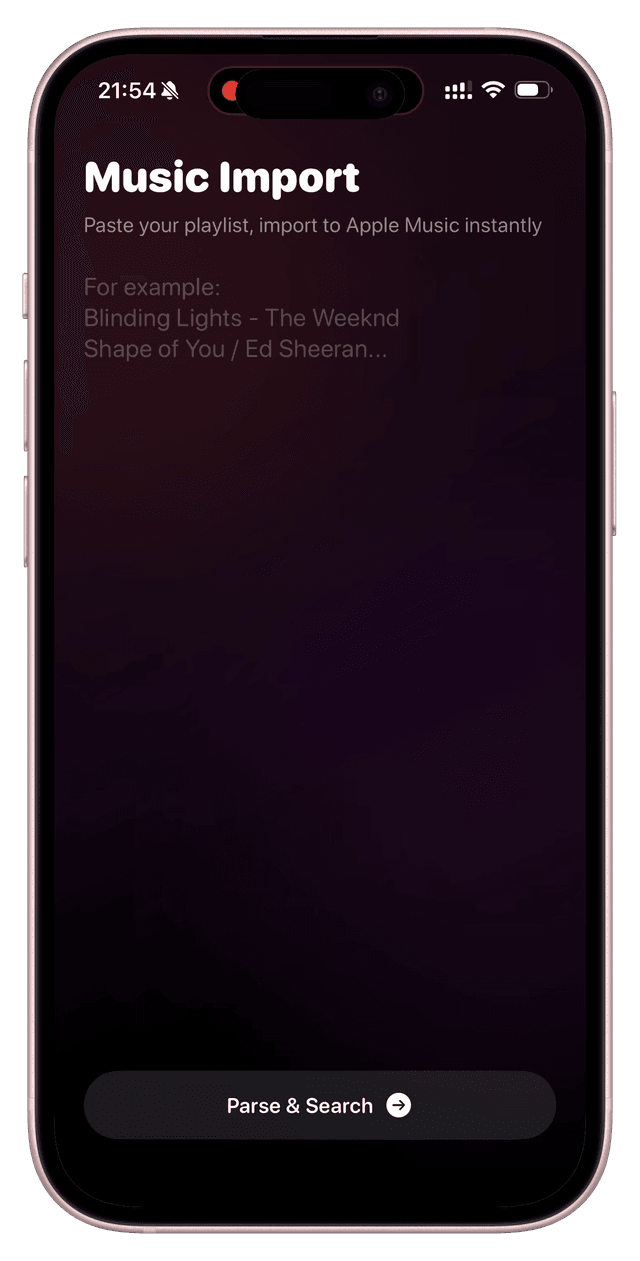
Transfer Playlists in 3 Steps
Supports AI text playlists and migration from Spotify, YouTube Music, Deezer, NetEase, QQ Music, KuGou, and Qishui to Apple Music
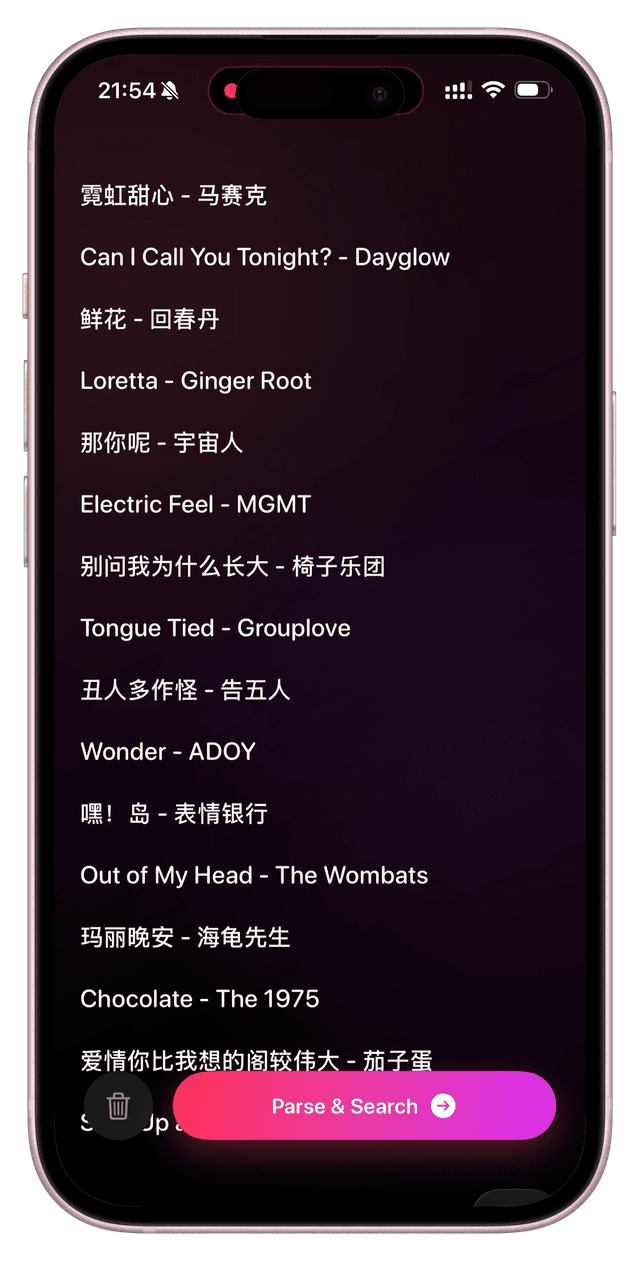
Paste Your Playlist
Paste an AI text playlist or import playlist links from Spotify, YouTube Music, Deezer, NetEase, QQ Music, KuGou, or Qishui
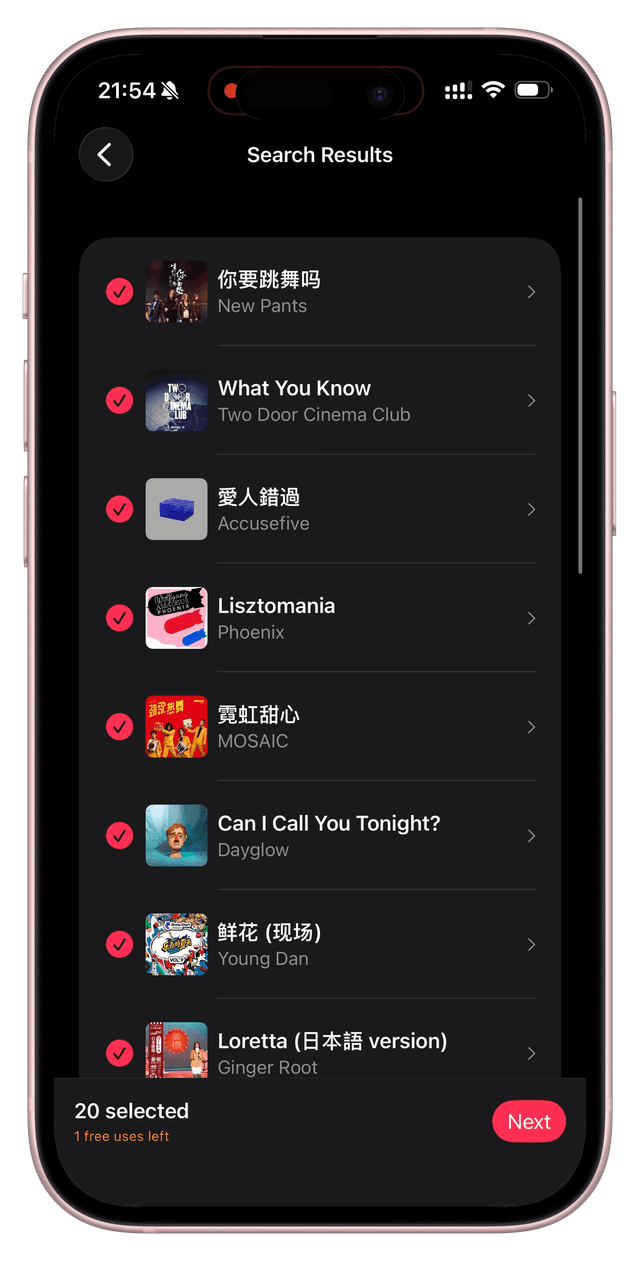
Smart Matching
Auto-parses songs and uses multi-layer fuzzy matching to find them on Apple Music
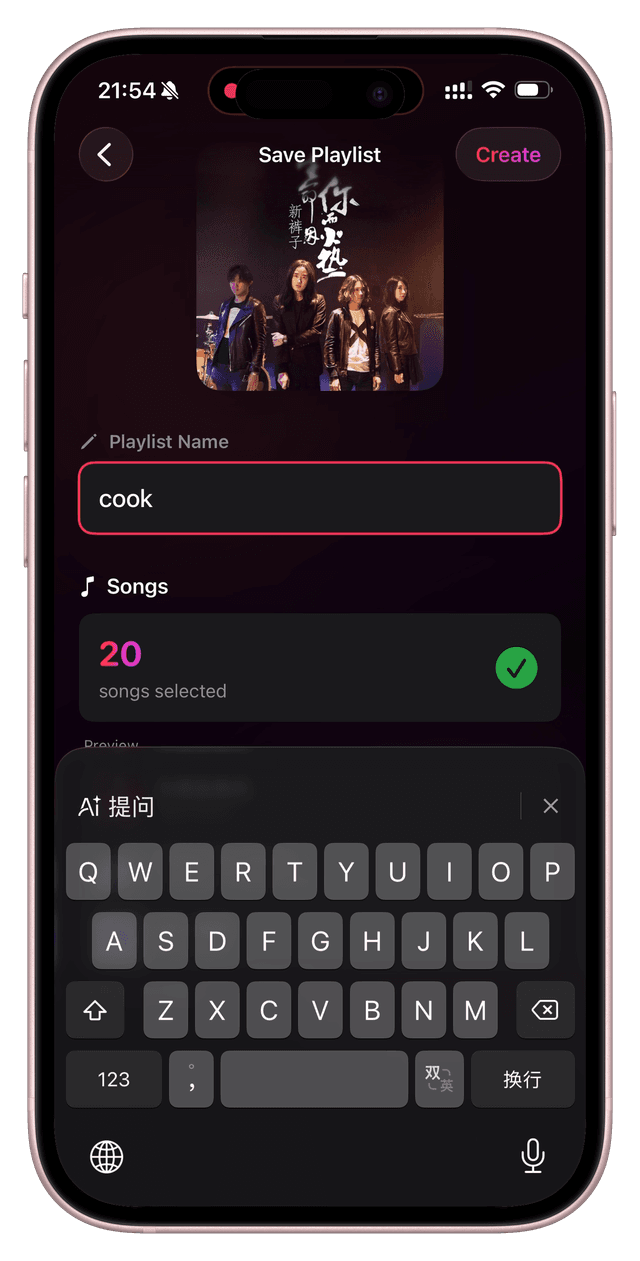
Create Playlist
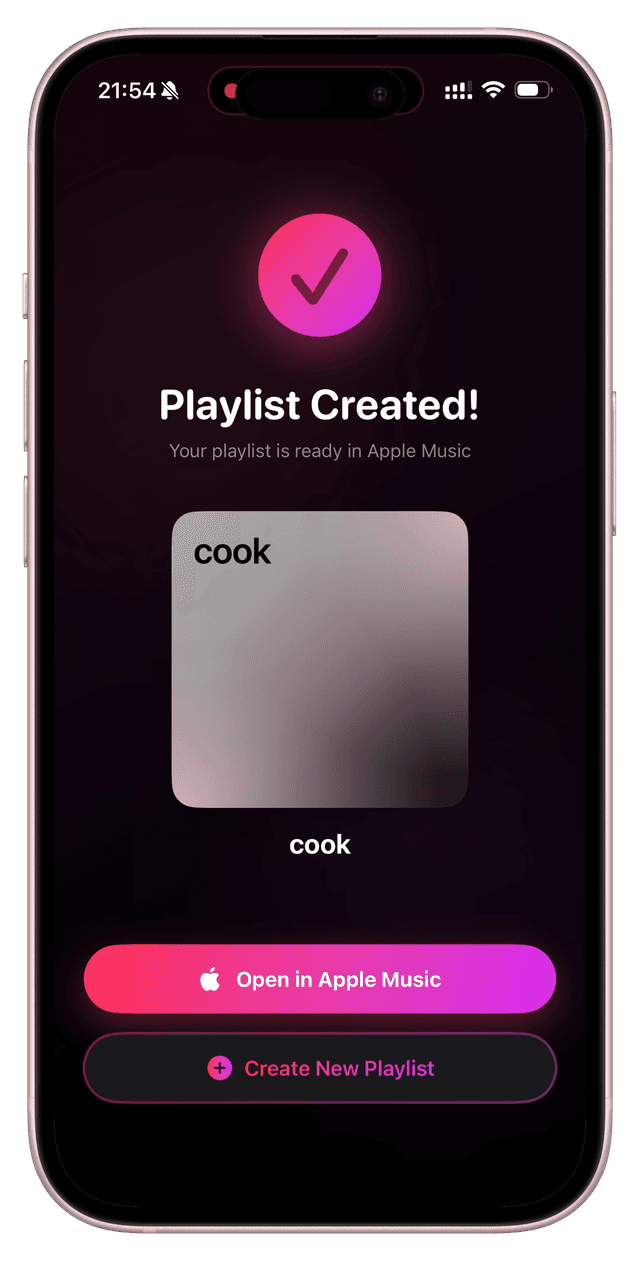
Confirm matches, name your playlist, and it appears in your Apple Music instantly
Playlist Converter Features
Every detail crafted for seamless playlist migration to Apple Music
Smart Fuzzy Matching
Multi-layer strategy: exact match → title match → fuzzy search. Finds every song it can.
Multi-Result Selection
Multiple versions found? See album artwork and details to pick exactly the one you want.
Concurrent Batch Search
Paste hundreds of songs at once. Concurrent searching with real-time progress tracking.
One-Tap Playlist Creation
Confirm and name your playlist. Auto-selects cover art. Appears directly in Apple Music.
Playlist Link Support
Auto-parse playlist links from Spotify, YouTube Music, Deezer, NetEase Music, QQ Music, KuGou Music, and Qishui Music.
Privacy First
Uses Apple's official MusicKit API. All data processed locally. Nothing uploaded.
Song Link Converter
Paste a Spotify, YouTube Music, Deezer, or NetEase song link and open the matched track on Apple Music instantly.
Playlist Export
Export any Apple Music playlist to Text (numbered list), CSV (Excel-compatible), or a beautiful image poster for social sharing. Real-time preview and system share integration.
Platform Support Matrix (Avoid Surprises)
Playlist-link import and single-song link conversion are different capabilities. Here is the exact support scope.
A. Playlist-Link Import
Supported now
Best for migrating full historical playlists into Apple Music.
B. Single-Song Link Conversion
Supported now
Not supported yet
Best for quickly opening a shared song link in Apple Music.
Real Use Cases (Copy This Workflow)
Not theory. These are the most common real-world scenarios.
AI Playlist → Playable in Apple Music
Paste text playlists generated by ChatGPT, Gemini, or Claude and turn them into an actual Apple Music playlist.
Great for travel, commute, workout, and themed playlists.
Migrate Legacy Playlists from NetEase/QQ
Paste playlist share links and migrate entire collections in batches.
Ideal for users switching from old platforms to Apple Music.
Get a Spotify Song Link in Chat
Paste the song link into the converter and open the matched track in Apple Music instantly.
Removes manual search friction in cross-platform sharing.
Migration Success Checklist
Use this checklist to improve match quality and speed.
Use official share links first
Avoid re-shortened links when possible for better parsing stability.
Include artist names in text lists
“Title + Artist” significantly reduces same-name mismatches.
Check artwork and duration for duplicates
Original, live, and cover versions often share similar names.
Run a small sample before full migration
Try 20 songs first, then process larger playlists.
Export a backup after migration
Keep a Text/CSV copy for future editing and reuse.
ClipTunes Playlist Converter Preview
Clean dark interface designed for music migration
One-Time Price, Better Long-Term Value
Pay only after you confirm it works for your workflow
One-Time Purchase · Yours Forever
$5.99 is about $0.02/day over a year
Most alternatives use monthly subscriptions, which usually cost more over time
- Unlimited playlist creations
- Fast single-song link conversion
- Playlist export (Text / CSV / Poster)
- All future feature updates
- No subscriptions, no auto-renewals
Try one full creation free, then pay only if it saves you time.
Free DownloadPrivacy & Security
Your music data belongs to you
FAQ
Do I need an Apple Music subscription?
Which platforms are supported for playlist-link import?
Which platforms are supported for single-song link conversion?
Is my data safe?
How many songs can I convert at once?
What should I do if some songs cannot be matched?
How can I improve migration success rate?
Why should I read the product page before downloading?
Step-by-Step Guide
Read the full playlist migration tutorial with detailed steps for NetEase, QQ Music, KuGou Music, and tool comparisons
Say Goodbye to Manual Searching
Playlist migration doesn't have to be painful. Paste. Match. Create. Three steps. Done.
Free DownloadiOS 16+ · 1 Free Try · One-Time Purchase
Lab Notes
Posts documenting the usage of this product
How to Transfer Large Playlists to Apple Music (2026) Without a 500-Song Bottleneck
A high-intent workflow for large playlist migration: batching, validation, retries, and free quota prioritization.
Does Apple Music Include Podcasts in 2026? Clear Answer
Direct answer for does apple music include podcasts 2026, plus a low-friction two-app setup.
Best Spatial Audio Songs on Apple Music (2026): 10 Tracks to Test First
A practical Dolby Atmos testing guide based on official docs: which genres benefit most, where Spatial Audio underperforms, and 10 tracks you can use right away.
Text to Apple Music Playlist: Turn AI Song Lists into Playable Playlists (2026)
Convert ChatGPT/Gemini text playlists into Apple Music playlists directly. Best workflow: bulk import first, then clean up unmatched tracks.
Free Playlist Transfer to Apple Music: What Actually Works in 2026
A practical and compliant guide to free migration paths: official options, manual fallback, and how to use free quotas efficiently.
Apple Music Playlist Not Syncing? 8 Fast Fixes for iPhone and Mac (2026)
A practical troubleshooting checklist for Apple Music playlist sync issues: account mismatch, iCloud settings, network, and region factors.
AI-Generated Playlist to Apple Music: Prompt-to-Playlist Workflow (2026)
Generate scenario-based playlists with AI, then import them into Apple Music with text format. Includes practical prompt patterns.
SongShift Alternatives in 2026: What to Use for Chinese Platform Migration
SongShift is strong for Spotify workflows, but migration involving NetEase/QQ/KuGou/Qishui needs explicit source support checks.
TuneMyMusic Alternatives in 2026: Validate These 4 Things Before Full Migration
Broad platform coverage is not the same as reliable matching. Use a sample-first workflow to reduce migration risk.
ChatGPT Playlist Prompt Templates: Build Apple Music-Ready Lists (2026)
Use constraint-based prompts instead of generic requests. Includes copy-paste templates that output import-ready song lines.
Gemini Playlist Prompts: Route-Aware Apple Music Playlists That Feel On-Scene
Gemini performs well on location context. Learn how to encode route, weather, and time to generate scene-matched playlists.
Claude Playlist Prompt System: Long-Context Preference Profiles for Apple Music
Build a reusable “music preference profile” and combine it with scenario tasks for more consistent AI-generated playlists.
Road Trip AI Playlist to Apple Music: Map Your Music to Drive Phases
Design playlists by route phases (start, cruise, arrival), then import to Apple Music with less rework.
City-Themed AI Playlist Prompts: Build Place-Specific Apple Music Moodtracks
Use city imagery keywords plus time slices to generate destination-specific playlists instead of generic city lists.
Workout AI Playlist to Apple Music: BPM Layering for Better Training Sessions
Split warm-up, main block, and cooldown by BPM zones, then generate and import structured workout playlists.
How to Move KuGou Playlists to Apple Music (2026 Step-by-Step)
Copy a KuGou playlist link, paste it into ClipTunes, then create an Apple Music playlist. Includes realistic match expectations and troubleshooting.
Spotify to Apple Music Playlist Migration: 2026 Practical Guide
Move playlists, liked songs, and albums with a workflow that minimizes manual cleanup. Includes realistic success expectations and caveats.
YouTube Music to Apple Music: Playlist Migration Guide (2026)
Learn how to migrate playlists efficiently, why some tracks fail to match, and how to reduce migration loss when switching to Apple Music.
Transfer QQ/NetEase Playlists to Apple Music in About 1 Minute
Use the copy-link workflow to move playlists fast, then handle the few unmatched songs manually. Includes current supported/unsupported boundaries.
QQ Music to Apple Music: 3-Step Playlist Migration Guide (2026)
A concise workflow for moving QQ Music playlists to Apple Music with link import, expected match ranges, and fallback handling tips.
Best Playlist Converter Tools in 2026: Practical Comparison
Compare major migration tools by platform support, pricing model, Chinese-library fit, and operational friction—not just feature lists.
How to Transfer Qishui/Douyin Playlists to Apple Music
A clean 3-step guide for migrating Qishui (douyin.com entry links) playlists to Apple Music, including what to do when songs do not match.